HackDavis
A mobile judging app for UC Davis's collegiate hackathon.
Overview
My Impact
Designed and shipped the judging app that scored 100+ projects at UC Davis's hackathon.
The Client
UC Davis's collegiate hackathon. 500+ students build 100+ projects in 24 hours — and every one needs judging.
The Challenge
Judges get ~5 minutes per project. The app had to be mobile-first: a map to find teams, and fast scoring across every award category.
User Flow
Judges get about five minutes per project, and most of it is spent walking. The flow had to move them from their queue to the right table to a finished score with as little friction as possible.
Design Decisions
Three changes, each from something judges told us.
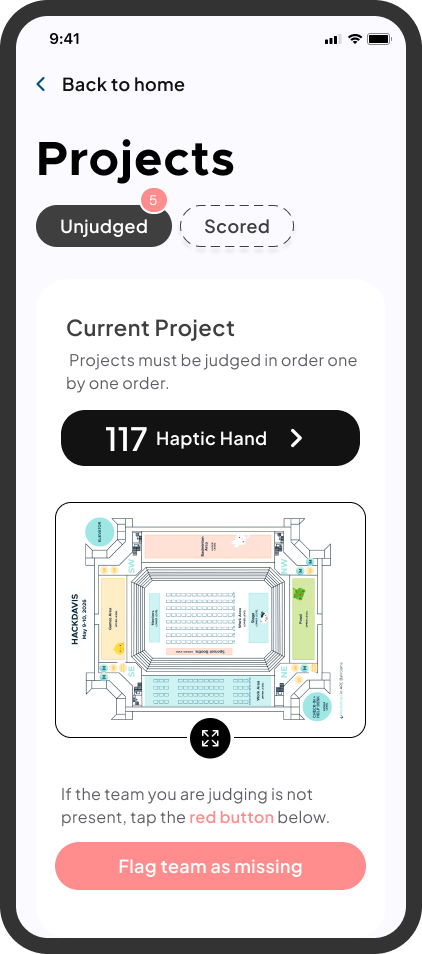
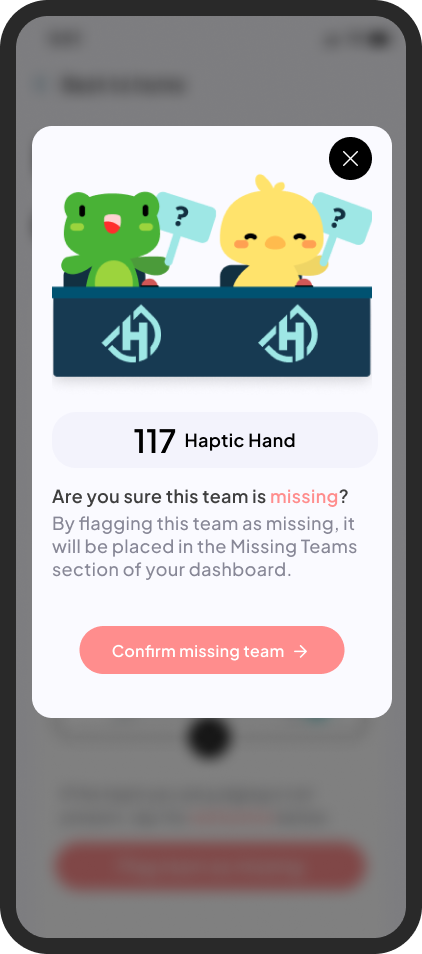
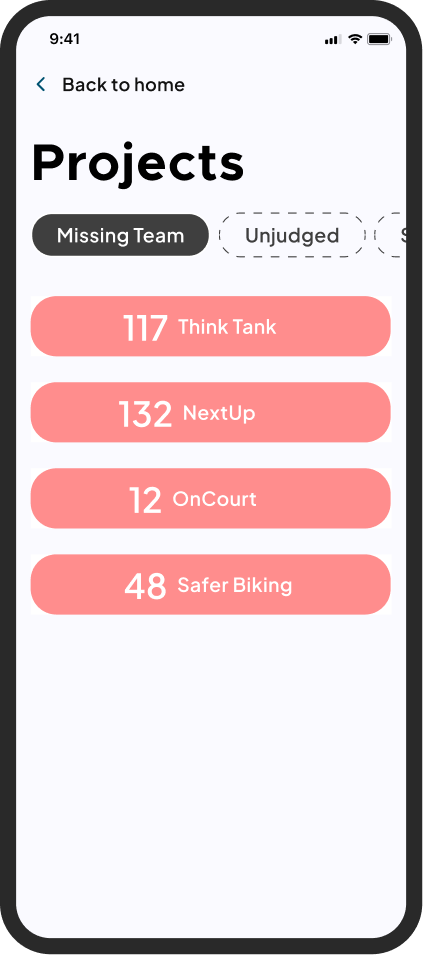
Flagging a missing team
Instead of stalling the round, judges flag an empty table as missing. It moves to a separate category so organizers can follow up.
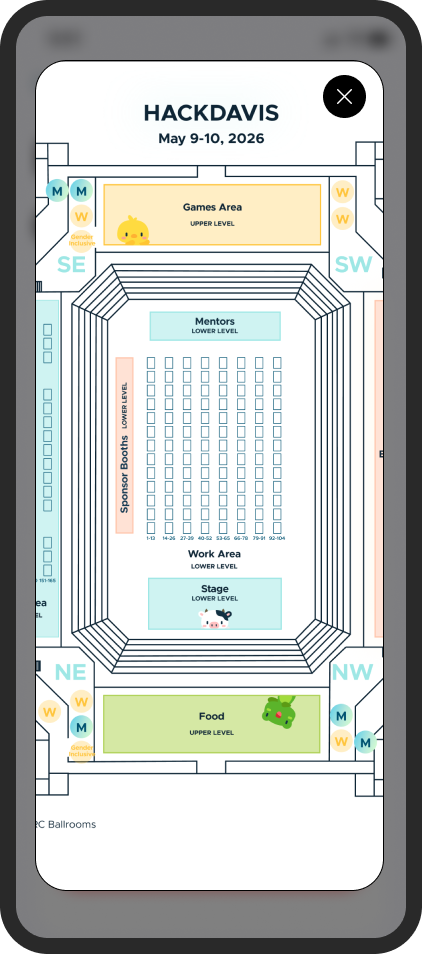
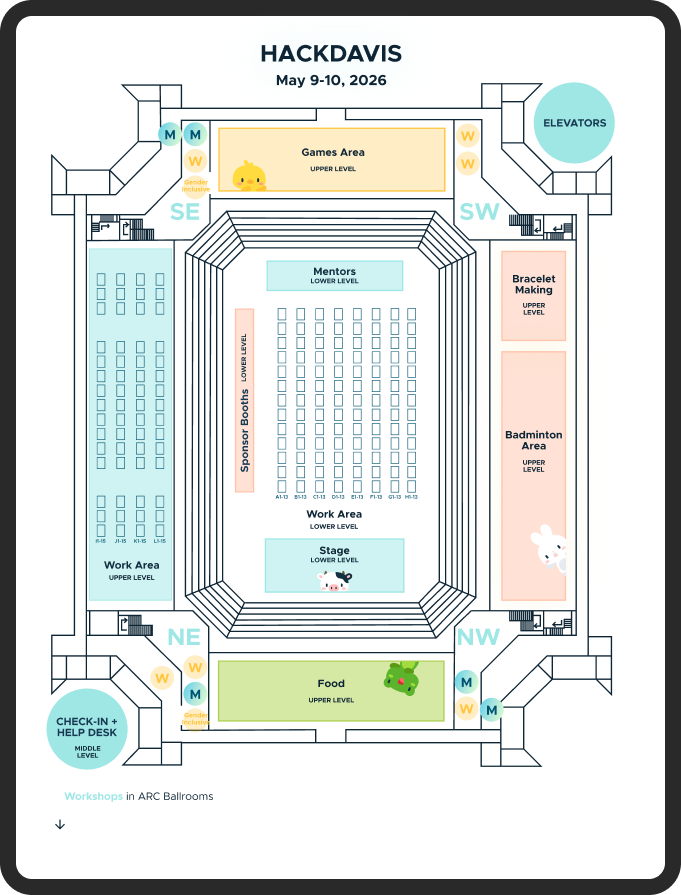
A venue map
The map sits on the home screen and expands when judges need a closer look.
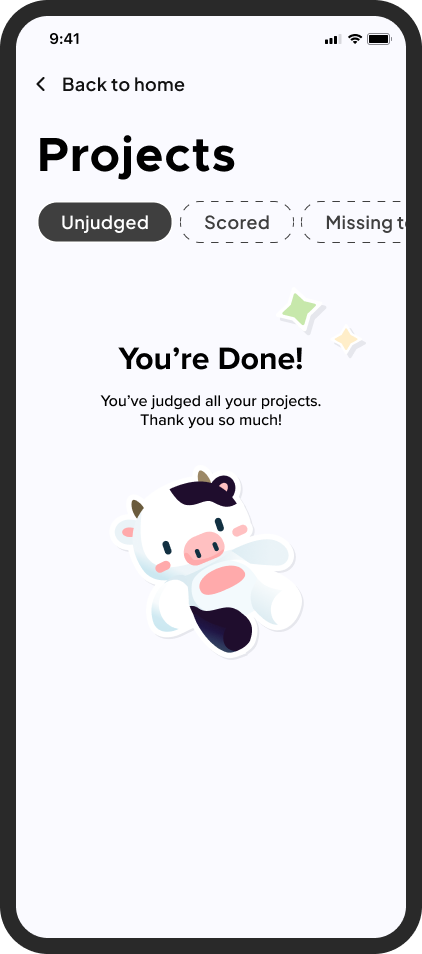
Knowing when you're done
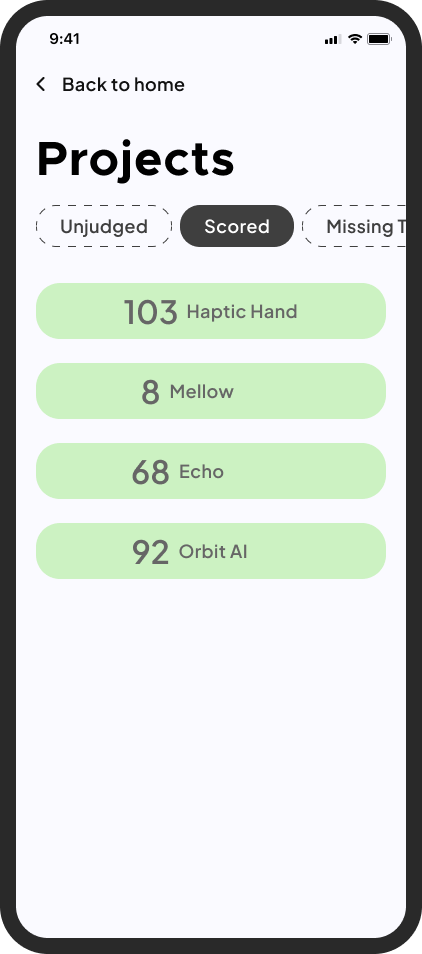
The unjudged list ends with a clear done state, and a scored section confirms what's complete.
Stress testing with 50+ judges
The app ran live at HackDavis 2026. Over 50 judges used it on their phones, walking the venue and scoring 100+ projects.
What the judges told us after the event
After judging ended, I sent out a feedback form and heard back from 11 judges. The scores were strong, but the most useful finding was where the friction actually lived. It was not the interface. It was the walk between tables.
“The judging app is the best I’ve seen so far across all the hackathons I’ve attended, both as a judge and a participant.”
— Judge, HackDavis 2026
The takeaway reframed the product. A judging app is a routing tool, not just a scoring form.
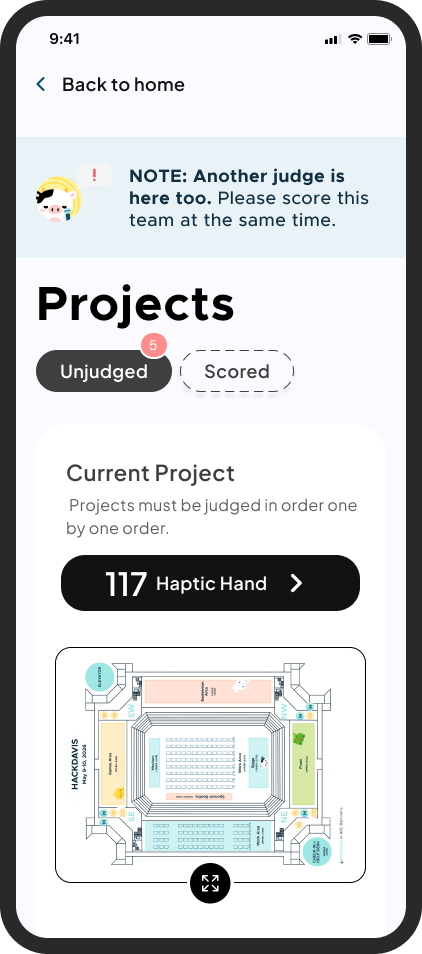
Two judges at one table
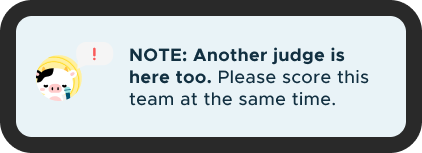
Sometimes two judges were assigned to the same booth at the same time. The flow assumed one judge per table, which left them unsure whether to wait or move on. When the app detects an overlap, it now surfaces a small note so both judges know they can score in parallel and keep the round moving.
What I took away from shipping this
Communicating with the tech team is transparency
Clear communication is what makes a handoff smooth. I documented notes for the developers throughout the file, calling out animation, button states, and scroll behaviors.
Expect the unexpected and adapt
Judges do not have much time, so the flow had to be seamless and quick to grade. Keeping their mindset in focus is what kept the design grounded.
Most of all, a judging app is a routing tool, not just a scoring form. The best insight did not come from a mockup. It came from watching real judges move through a real venue.