Treevah
A file manager that keeps every folder visible — and uses AI to make sense of the mess.
Overview
My Impact
Designer on a cross-functional team where I crafted the desktop dashboard and AI experience, conducted user research, and presented design work directly to Treevah's CEO.
The Client
Treevah is a startup building a file management system that shows every folder, subfolder, and file on a single page. It allows users to have full visibility into their file system and stay organized.
The Challenge
Design a desktop dashboard and AI experience that helps users navigate nested files with confidence, while learning how AI/ML impact folder management.
Research Overview
I kicked off a 1-week research sprint with the researcher on our team to define what users need for a better folder management experience.
- Interviewed 6 users virtually about managing their files with AI
- Analyzed Treevah's file management system alongside Google Drive
- Outlined CEO needs to align on project goals
Below is the CEO's inspiration photo

Interview Insights
Users were concerned about privacy and letting AI handle their files, and frustrated by navigating nested folder systems. What they wanted most was to understand file content quickly.
“I would use AI features if I had a few files that were similar and wanted to know which was what.”
— Interview participant
Below is an image of the organized interview insights

The Problem: frustrating file and folder analysis
The research pointed to one core issue. There was no efficient way to understand complex files. Each problem became a How Might We objective that guided the design work.
Complex files
Users struggled to understand what their files actually contained.
HMW assist users in analyzing complex files and reduce the time spent on this task?
Disorganized content
Messy nested folders made content hard to locate and manage.
HMW improve file and folder organization for better efficiency?
File privacy
Users didn't trust AI to analyze their files.
HMW build user trust and encourage adoption of AI tools?
User Flow
I mapped the typical user flow for Treevah's file management system, covering both a first-time user and a returning user. AI features are highlighted in green.
Below is the full user flow diagram

Comparing File Content
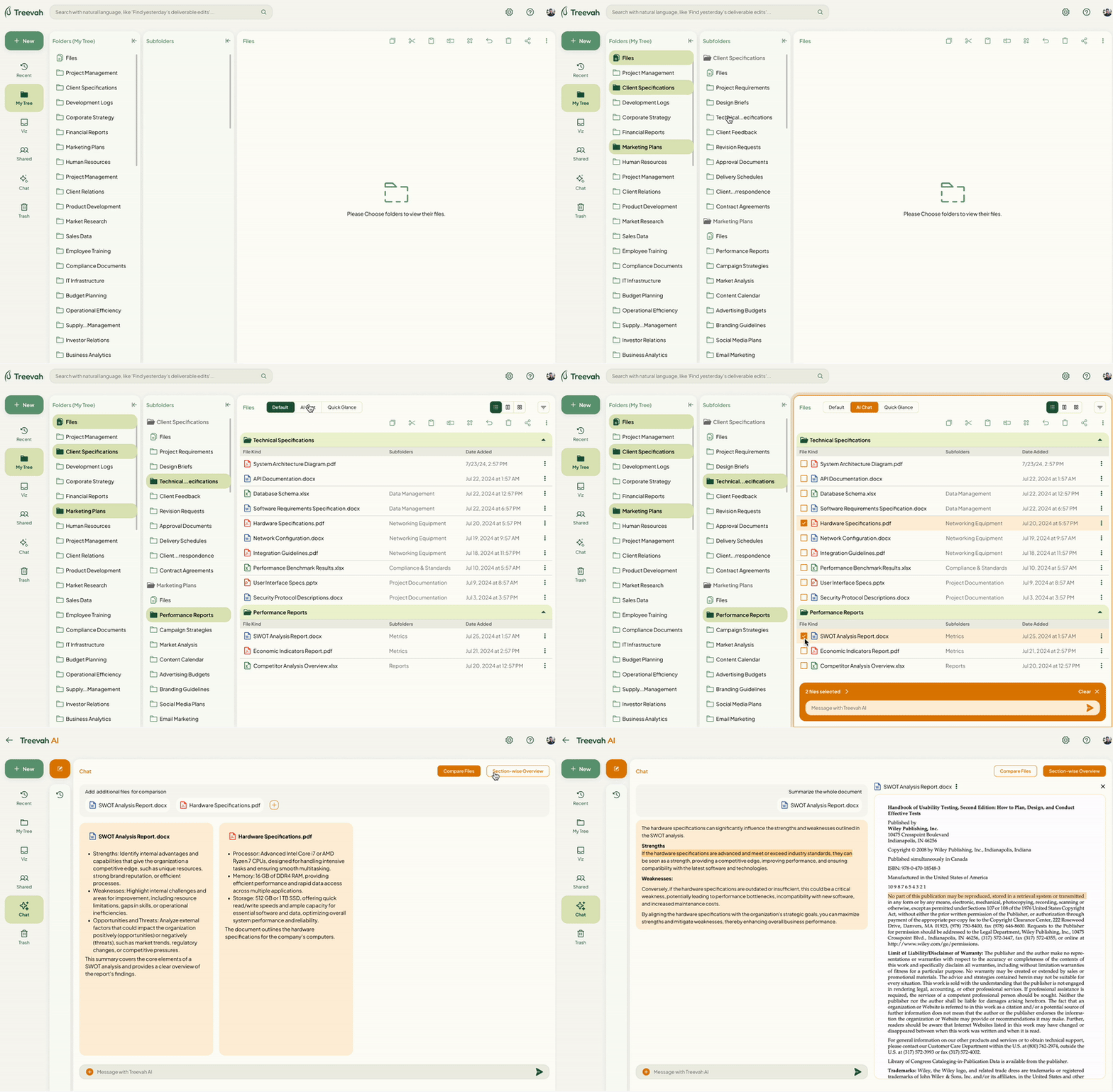
This is the file comparison feature, which enables users to select and compare the content of multiple files. AI analyzes the selected files and provides a summary of how the files compare in two separate columns.
Quick File Glance
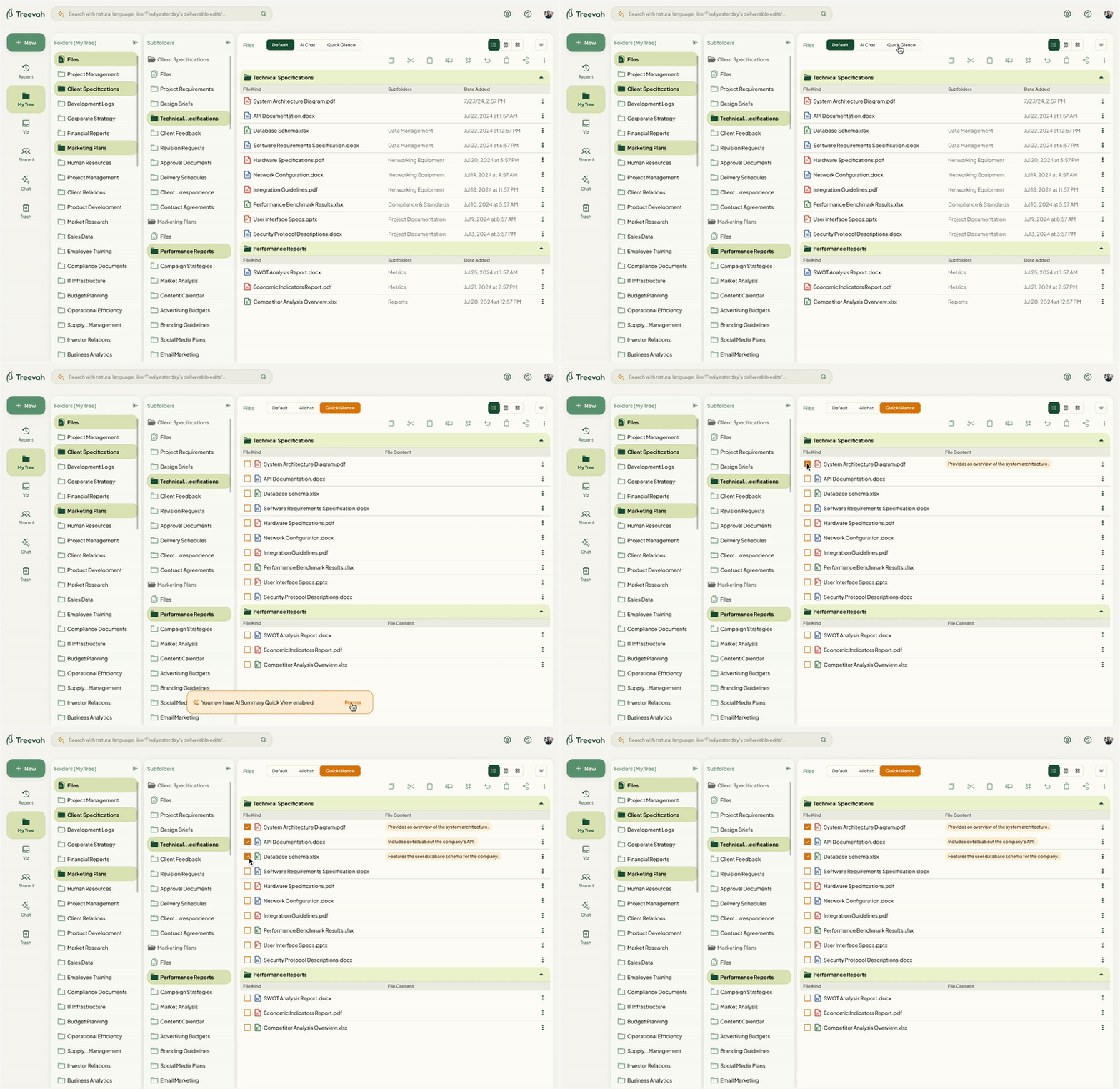
This is the Quick File Glance feature, which provides a short AI-generated summary of each file's content, so users can understand what a file contains at a glance without opening it.
Folder Recommendations
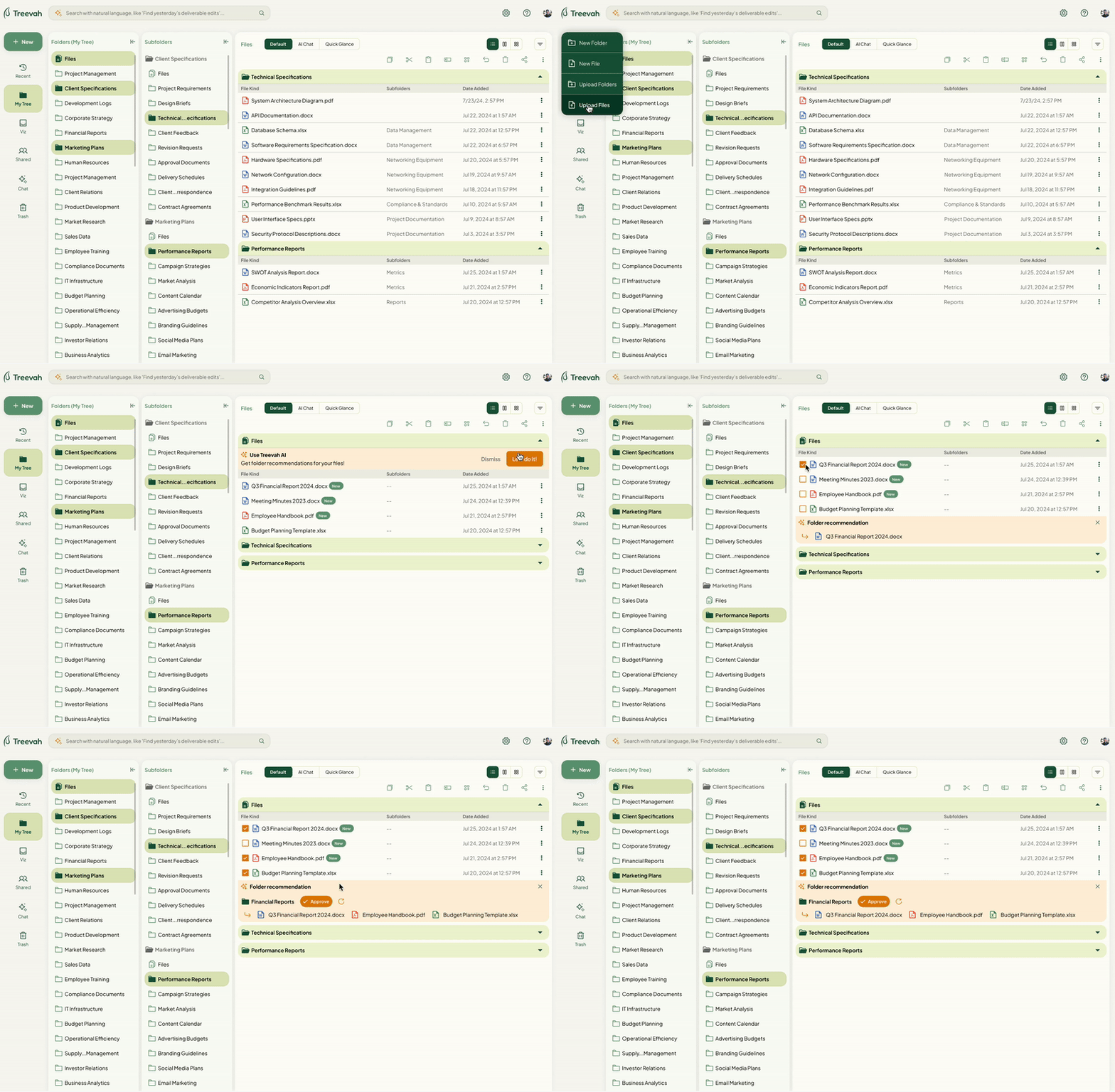
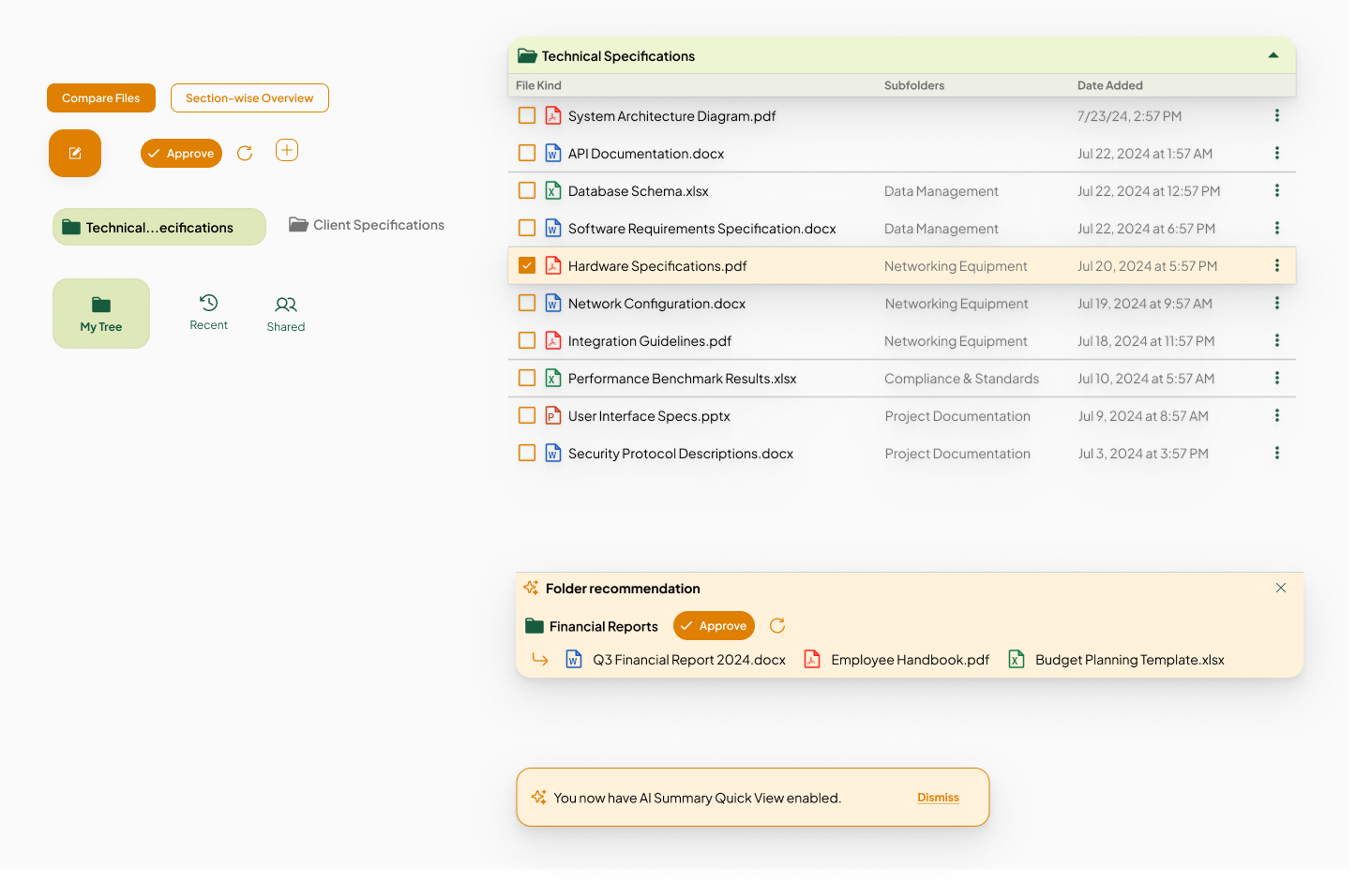
This is the Folder Recommendations feature, which organizes uploaded files into folders based on their file content, so users can keep their file system structured without sorting everything manually.
Transparency and Control
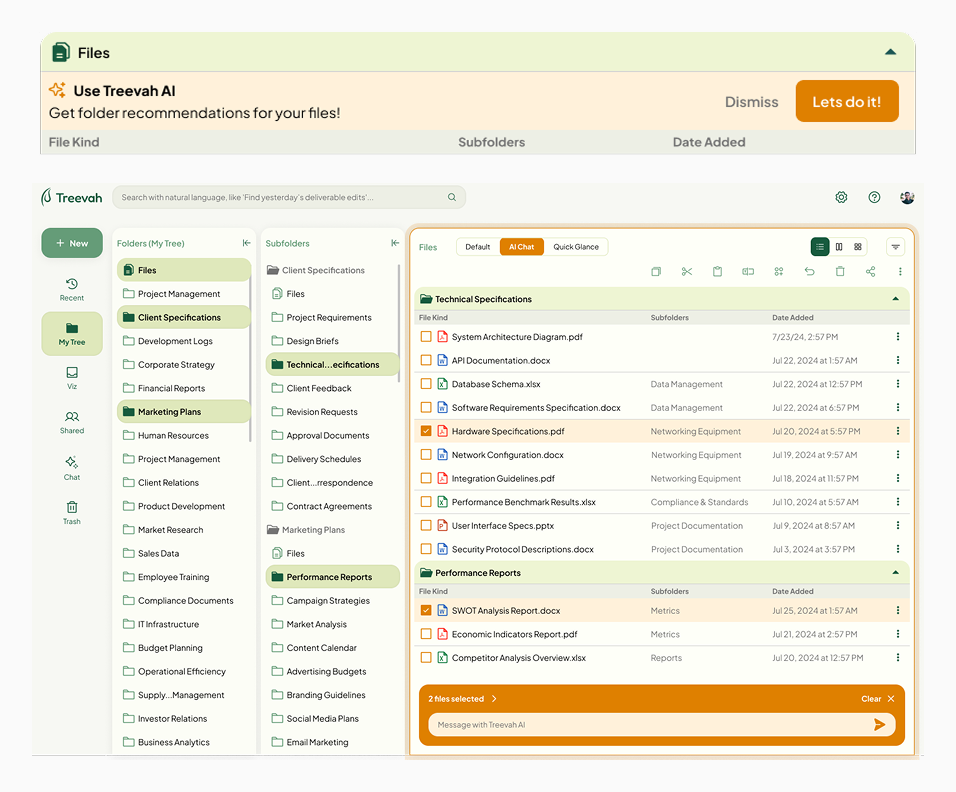
There was a lot of distrust around AI handling personal files, and users didn't feel in control. I designed for transparency by letting users choose exactly which files AI would analyze, and made the AI features opt-in so adoption always started with user consent. Clearly defining when and how AI would be used built another layer of trust.
Feature Segmentation
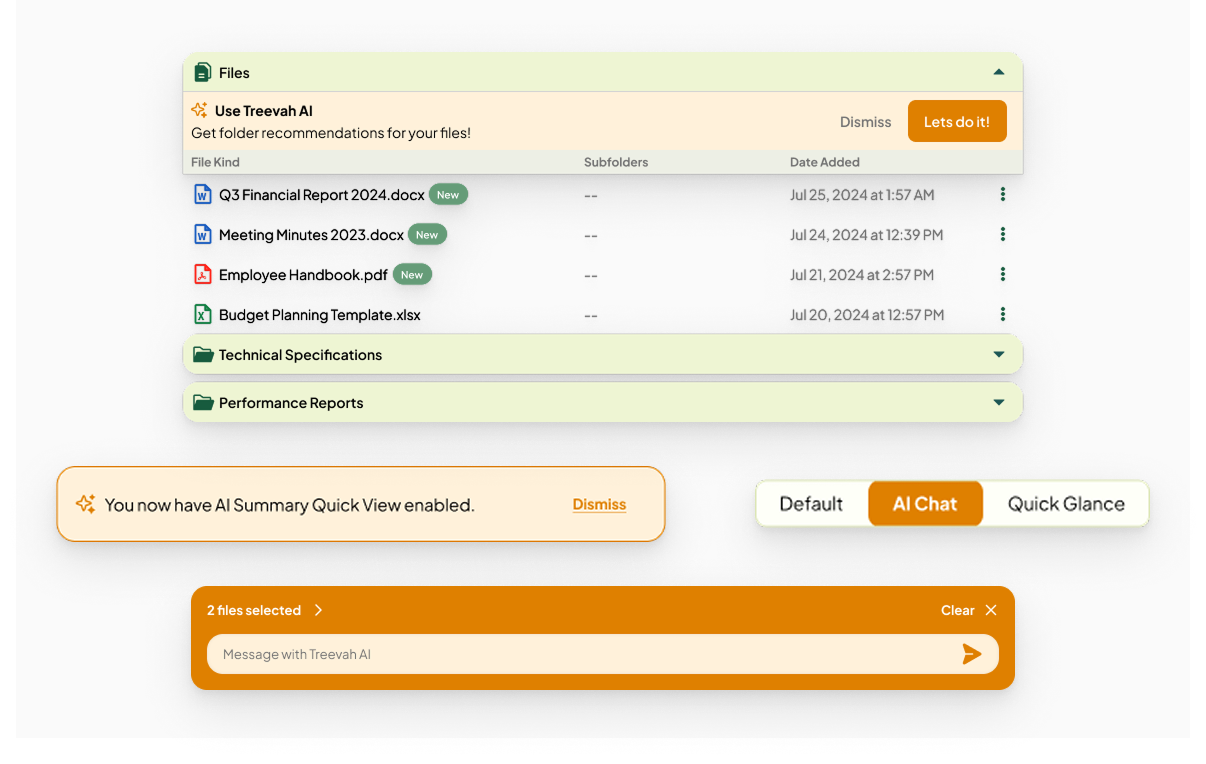
Treevah AI is a premium feature, so from a business perspective it needed a clear visual separation from the standard tools, plus a strong CTA to drive adoption. I used color, labeling, and distinct UI components to set the premium features apart and guide users toward them.
Why Icons?
Humans are inherently visual beings. I used a sparkle icon to signal AI features throughout the product, which reinforced Treevah's branding while making the AI functionality easy to recognize at a glance.
Lessons Learned
Wrapping up Treevah, three lessons stuck with me.
Understand your users first
A strong solution starts with truly understanding who you're designing for, then tailoring the experience to their real needs rather than assumptions.
Stay agile when plans shift
Things come up and plans change. I learned that change is the status quo, and the job is to respond quickly and adapt rather than cling to the original plan.
Guide stakeholders with research
Stakeholders don't always know exactly what they want. Research insights become the tool that directs them toward a solution grounded in evidence.